
The Case File Is 300 Pages and You Can't Copy a Single Line: How to Scan, Summarize, and Ask a PDF on iPhone
A pleading that won't let you copy a paragraph? Here's how to scan to PDF, use OCR, summarize a long case file, and ask it questions on iPhone.
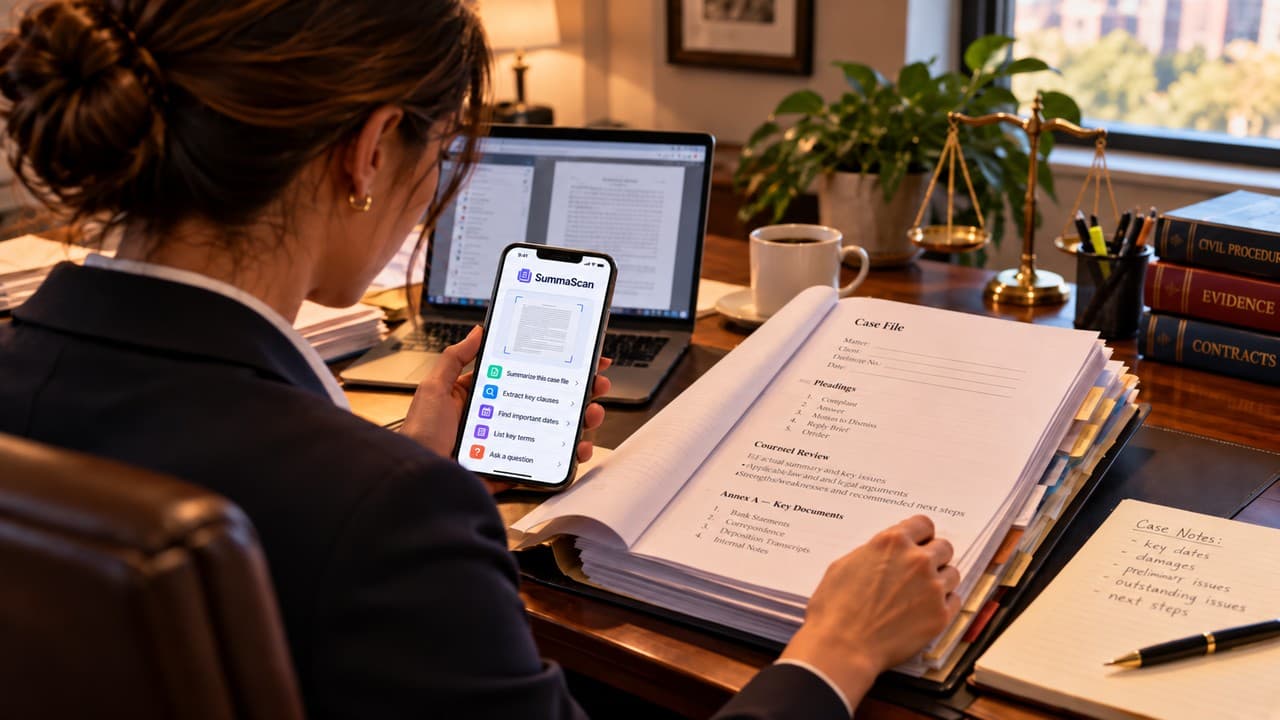
Every law office has a folder that someone handed over with the words "it's not that long."
It is that long. It has annexes, and the annexes have annexes. Page 47 is upside down. The one paragraph you need is in a scanned pleading that won't let you highlight a single word, because your PDF reader doesn't see text there. It sees a photo of text that has been saved as a PDF.
This one is for anyone who reads case files, pleadings, contracts, or long rules for a living, or because a client put a stack on your desk at 4:55 on a Friday.
(Quick note: SummaScan is a reading tool. It doesn't give legal advice, doesn't predict outcomes, and doesn't replace a lawyer.)
Why can't I copy text from a scanned PDF?
People search this question constantly, and the answer is a little disappointing. A scanned page is a picture. Your PDF reader can show it to you, but it has no idea there are words on it. So Find returns nothing, highlighting does nothing, and you end up retyping a paragraph of a motion with one finger while your coffee goes cold.
The fix is OCR, which stands for optical character recognition. OCR reads the image and turns it into real text that you can search and copy. Every good guide on this ends with the same advice: after OCR runs, check the result, especially names, dates, and numbers. A "1" that turns into an "l" is funny on a grocery list. It's a lot less funny in a filing date.
Reading isn't the hard part. Finding is.
Lawyers don't mind reading. You picked a career that's mostly reading. The pain is the searching.
Where is the notice period? Which annex has the payment terms? When did the respondent actually receive the demand letter, and is that date in the complaint, or only in Exhibit "C," which someone photographed on top of a carpet?
A pdf reader shows you the pages. You still have to know which page. With a 300-page file, that's the whole afternoon.
How to scan multiple pages into one PDF (instead of 23 photos named IMG_4471)
How do I scan a document to PDF on iPhone? How do I scan multiple pages into one PDF? These are some of the most common how-to searches about scanning, and for good reason. The usual result of "just take photos" is a camera roll full of tilted pages in the wrong order, with your thumb in three of them.
In SummaScan, you sign in, then scan. The app finds the edges of the page, straightens it, corrects the angle, and keeps capturing pages one after another into a single processed PDF. A twelve-page agreement becomes one file in reading order, not twelve photos you have to put back together in your head.
You can save it, share it, or import a PDF you already have.
How to summarize a long PDF without pretending you read it
Summarize gives you an overview of the whole document. Use it like a table of contents written by someone who actually opened the file. It tells you what kind of document this is, what it seems to cover, and where to look first.
Then go to the source. Research on AI summaries keeps reaching the conclusion lawyers already apply to a memo written at 2 AM. It's great for orientation and not something to cite. One guide on verifying AI output for legal work puts it plainly: treat the summary as a starting point, then pull and read the actual text before you rely on it. SummaScan's own site agrees that AI output is for reference and should be checked against the source.
How to ask questions about a PDF
This is the part that helps most with the hunting.
With Ask, you type a question and get an answer grounded in the document you scanned. These are the kinds of questions that save an afternoon:
- What are the important dates?
- What are the termination requirements?
- What payment terms are stated?
- What evidence is mentioned?
- What are the material facts?
The answers come from your document, not from the internet and not from a guess about the law. So "Will we win?" isn't a question SummaScan can answer, and it won't try to. "Where does this contract say how much notice is required?" is exactly the kind of question it's for. Once it points you to the clause, you read the clause. You're still the lawyer.
How to convert a scan to Word when you actually need to work with it
Sooner or later you need to quote a provision in a letter, compare two versions, or mark up a draft. People ask how to convert a scanned document into an editable Word file because retyping is miserable.
After OCR, SummaScan can export to Word, so the text is something you can work with. It also exports to PDF, images, and plain text, and you can share the scan directly. Word export and watermark-free exports are part of Pro.
A word about client documents
Before you scan anyone's confidential material into any app, check your firm's policy and your professional duties of confidentiality. Read the app's privacy policy and decide what fits each matter. This isn't a disclaimer for one app. It's just good practice.
What it costs
There's a free way to try it. According to the App Store listing, Free includes up to 15 processed pages every 7 days, watermarked exports, and up to 3 Ask AI uses. That's enough to see whether it fits how you work. Pro Weekly is $3.99 a week and unlocks unlimited scanning, full Summarize and Ask, no watermark, and Word export. It's an iPhone app.
The short version
The folder will always be longer than promised. But the pleading can be searchable, the twelve photos can be one PDF, and the notice period can take one question to find instead of forty minutes.
If that sounds like your Friday afternoon, SummaScan: PDF Scanner & AI is on the App Store here: https://apps.apple.com/us/app/summascan-pdf-scanner-ai/id6789966311. You can read more at https://summascan.app.