
How to Scan Your Child's Modules and Worksheets to PDF on iPhone (Without Losing Your Mind at the Dining Table)
Modules on the dining table, a teacher asking for one PDF, Grade 5 science at 9 PM. A mom's guide to scanning, summarizing, and asking about school PDFs.
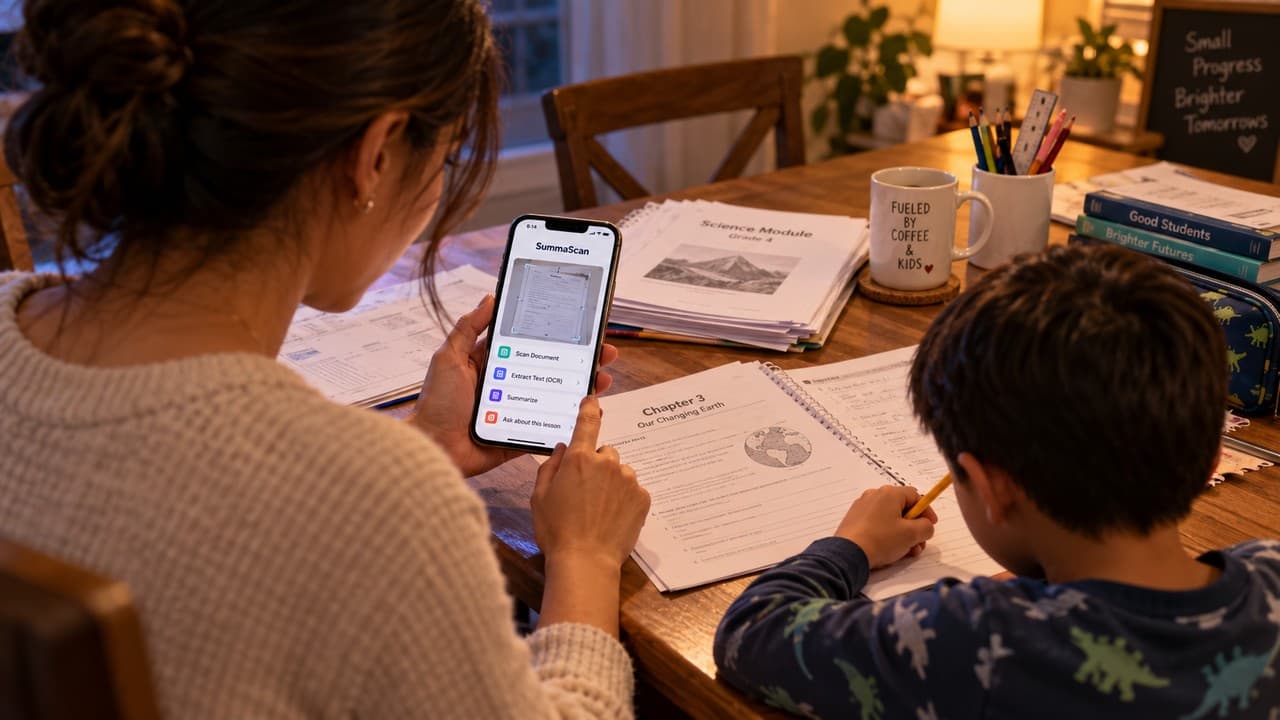
It's 9 PM. The dining table has been turned into a classroom. There's a module, two worksheets, a take-home packet with one corner bent, and a pencil with the eraser chewed off. (Not by the child. You don't want to talk about it.)
The teacher's message in the class group chat says: "Please send the accomplished activity as ONE PDF file." You've already sent fourteen photos. Two are sideways, one is blurry, and one has the cat's tail in it.
Then your child asks what "photosynthesis" means, and you realize the last time you studied it, you were the one at the dining table.
This post is for you, the mom. Not the kid. You're the one handling the paperwork, the reading, the deadlines, and the "Ma, ano 'to?" at bedtime.
The real job: you became the guide, not the teacher
Research on modular learning in the Philippines describes the parent's role as a guide (some call it tagapagdaloy). You're not there to teach the lesson or answer the worksheet. You're there to keep things on schedule, make sure the materials are complete, and help your child understand what's being asked.
That sounds manageable until you open the module. Instructions are buried on page 3. Due dates are in a footnote. The lesson assumes you remember long division the way your teacher taught it, which is not how your child's teacher teaches it.
The hard part isn't caring. You care a lot. The hard part is that all this school paper shows up as a stack, and you have twenty minutes between dinner and bedtime.
How do I scan a document to PDF on iPhone?
This is one of the most searched phone questions, and moms ask it for a very practical reason: the school wants a PDF, and the printer at home has been "out of ink" since March.
In SummaScan, you sign in, then scan. Hold your iPhone over the page and the app finds the edges, straightens the page, and fixes the angle. So a worksheet photographed tilted on a busy table still comes out looking like a page, not like a page falling off a cliff.
How do I scan multiple pages into one PDF?
Keep scanning. Each page goes into the same document, in order. That's a multipage scan, and it's how fourteen photos become the single PDF the teacher actually asked for.
When you're done, you can share the scan straight from the app or save it. If the school already sent you a homework PDF, you can import that too.
How do I turn a photo into a PDF?
If you already took photos of the packet before you found this post (no judgment, we all did), scanning the pages again with SummaScan gives you a cleaner, straightened PDF than the photos in your camera roll.
What is OCR, and why should a mom care?
OCR means optical character recognition. It reads the words on a scanned page and turns them into real text. That's what lets you search a module for "due," copy instructions into a message to the teacher, or ask questions about the page instead of squinting at it.
A gentle warning that every OCR guide gives: check names and numbers. OCR does well on printed modules and less well on handwriting. Your child's handwriting may be beautiful in its own way, but it may not be machine readable.
How do I summarize a long PDF (like a 30-page module)?
Summarize gives you an overview of the whole document. For a module, that means you can see in a minute what the lesson covers, so when your child asks for help, you're not reading the whole thing cold beside them.
Think of it as your quick briefing before the session at the dining table. AI summaries are a starting point. When it matters, check the actual page.
How do I ask questions about a PDF?
This is the one moms tend to like most. With Ask, you type a question about the document you scanned and get an answer based on that document. For example:
- What does the teacher want submitted, and when?
- What are the instructions for Activity 2?
- What is this lesson about, in simple words?
- What examples does the module use for fractions?
The answers come from the module itself, so you're explaining the lesson the way the school wrote it, not the way the internet did.
What SummaScan won't do (and why that's a good thing)
SummaScan doesn't do your child's homework. It won't fill in the worksheet, and it's not built for that. Ask answers questions about the document you scanned, so it helps you understand the instructions and the lesson. Your child still does the work, which is the whole point of the module.
Honestly, this is the part that lets you sleep at night. You get to be the calm parent who knows what the activity is asking, not the parent secretly answering item 7.
What it costs
There's a free way to try it. The App Store listing says Free includes up to 15 processed pages every 7 days, watermarked exports, and up to 3 Ask AI uses. That's about one good module night. Pro Weekly is $3.99 a week for unlimited scanning, full Summarize and Ask, no watermark, and exports to PDF, Word, images, and text. It's an iPhone app.
The short version
The dining table will still be a classroom some nights. The pencil will still be chewed. But the packet can be one clean PDF, the instructions can be found in one question, and you can go into homework time already knowing what the lesson is about.
If that sounds like your weeknights, SummaScan: PDF Scanner & AI is on the App Store: https://apps.apple.com/us/app/summascan-pdf-scanner-ai/id6789966311. You can learn more at https://summascan.app.